How to deploy Web applications on JBoss
This short article will teach you how to deploy a Web application on top of WildFly / JBoss application server.
File system deployment
The simplest strategy to deploy an Enterprise application (such as a .war file) on WildFly, is to copy the Web application in the standalone/deployments folder of the application server:
├── appclient
│   └── configuration
├── bin
├── copyright.txt
├── docs
│   ├── contrib
│   ├── examples
│   ├── licenses
│   └── schema
├── domain
│   ├── configuration
│   ├── data
│   ├── log
│   ├── servers
│   └── tmp
├── jboss-modules.jar
├── LICENSE.txt
├── modules
│   └── system
├── README.txt
├── standalone
│   ├── configuration
│   ├── data
│   ├── deployments
│   ├── lib
│   ├── log
│   └── tmp
└── welcome-content
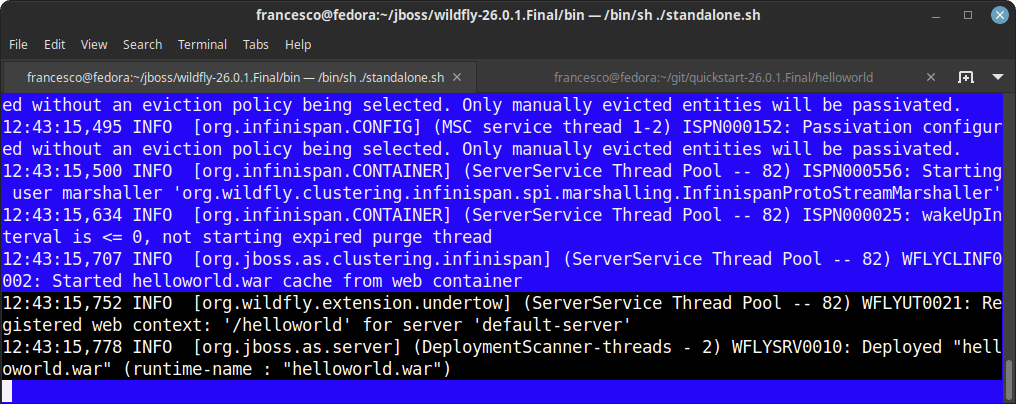
As soon as the Deployment Scanner reads the Web application, deployment will start:
Using the Managements tools to deploy the application
As an alternative, you can use a Management tool such as the Command Line Interface and use the deploy command. Example:
$ ./jboss-cli.sh
You are disconnected at the moment. Type 'connect' to connect to the server or 'help' for the list of supported commands.
[disconnected /] connect
[standalone@localhost:9990 /] deploy helloworld.war
If you prefer, you can log into the Web Console to deploy the application from within the Browser. Check this article to learn more about it: Deploying applications on WildFly using the Web Console and the CLI