How to send messages from ActiveMQ Artemis Web console
This tutorial will teach you how to send JMS messages from the ActiveMQ Artemis console.
So, the requirement is to install ActiveMQ Artemis as discussed in this tutorial: Getting started with ActiveMQ Artemis
Next, log into the console which is available at: http://localhost:8161
From there, there are at least two ays to send a JMS Message.
Option 1)
Select the JMS Destination in the left side tree view and click on the Send Tab:

Choose the Message format and click on Send Message
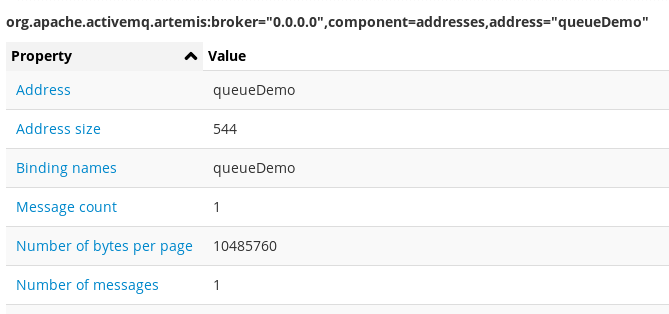
As a proof of concept, in the JMS Destination attributes, you should see the message listed in Message Count:
Option 2)
Another way to send messages from the ActiveMQ Artemis is to click on Operations and click on Send:

From there, you will be able to send messages much the same way.
Furthermore, it is possible to check messages which haven’t been consumed by selecting the Browse tab:
